Settings Page
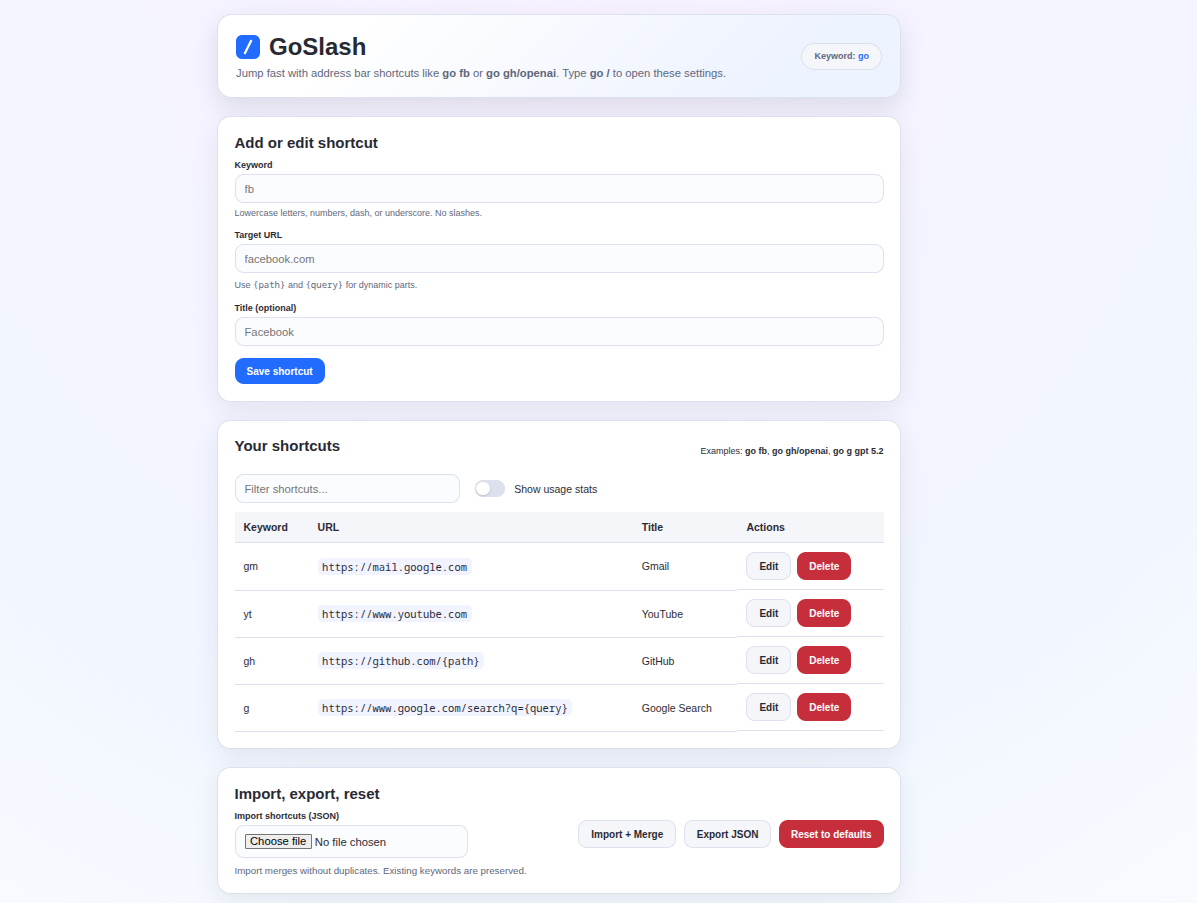
Address bar shortcuts for Chrome.
go yt
→
YouTube
go gh/openai
→
github.com/openai
go g pizza
→
Google "pizza"
Activate GoSlash from your address bar
Type a keyword like yt, gh, or gm
You're there. That's it.
go yt
→
youtube.com
go gm
→
mail.google.com
go gh/microsoft
→
github.com/microsoft
go g how to code
→
Google search for "how to code"
go /
→
Open GoSlash settings
Create your own shortcuts for any website. Add as many as you need.
Track which shortcuts you use most. Sort by usage to find your favorites.
Use {path} and {query} in URLs for flexible, powerful shortcuts.
Quickly find any shortcut with the built-in search on the settings page.
Back up your shortcuts or transfer them to another device with JSON.
All data stays on your device. No tracking, no analytics, no servers.